Viskey
The Visible Keyboard
A high-visibility touchscreen keyboard designed for clarity, control, and comfortable typing. Built with low vision and effortless readability in mind.
Built for Clarity and Control
Viskey solves the common frustrations of touchscreen typing with three core strengths:
Good Contrast & Readability
Engineered specifically for low vision and visual comfort. Bold, uncluttered typography and distinct key boundaries make typing easier on the eyes. Choose between crisp Dark and Light themes, or turn on high-contrast Yellow Text for maximum legibility in any ambient lighting.
Large Interactive Preview
Keep what you are typing in plain sight. The prominent preview area scales up to 90 pt and beyond, features built-in left and right cursor navigation arrows, direct tap-to-position control, smooth horizontal scrolling, and a temporary two-finger tap zoom.
Deeply Customizable
Tailor the keyboard to your personal preferences. Adjust preview font sizing, toggle color themes, switch between light and dark modes, enable uniform backgrounds, and configure self-voicing with pitch cues or VoiceOver integration.
See Viskey in Action
Designed from the ground up for readability and effortless control.
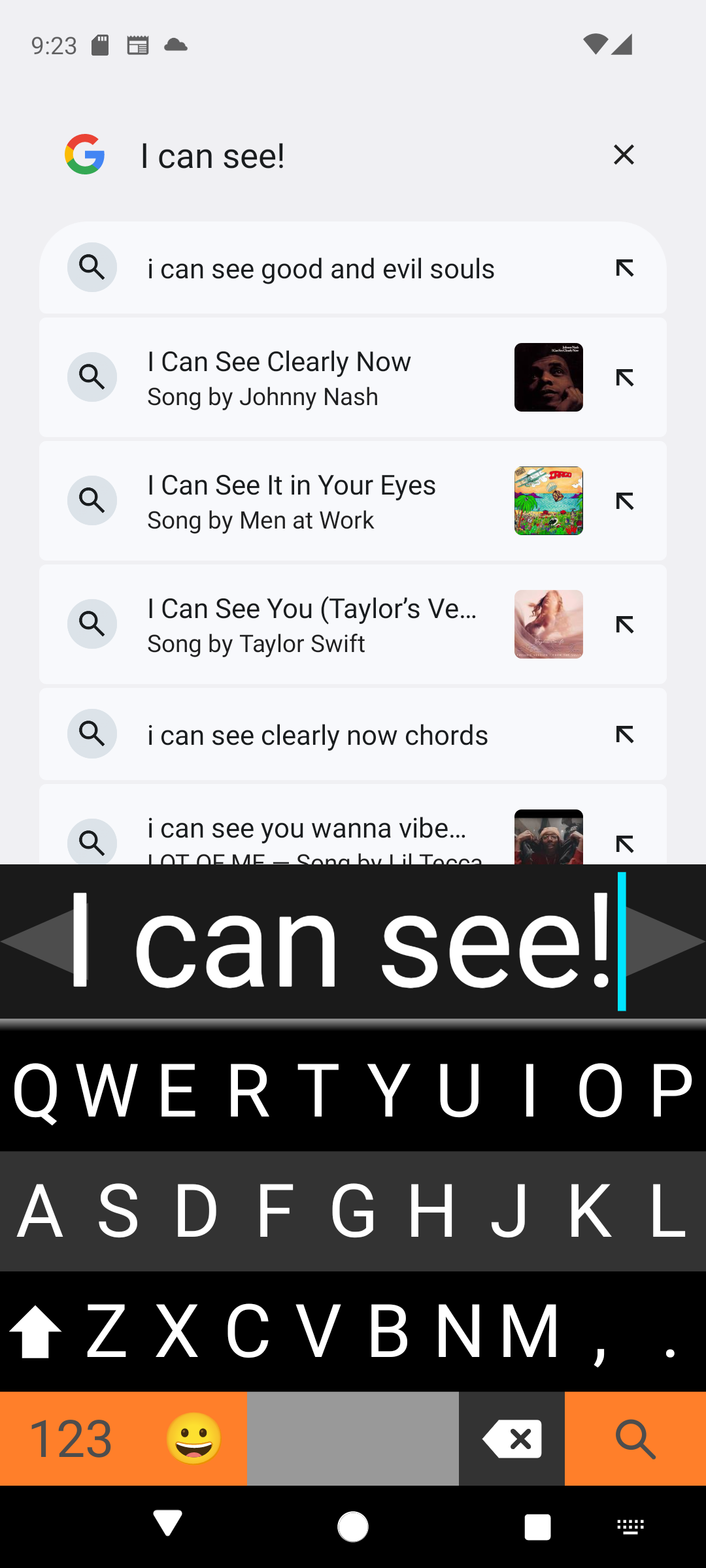
Large Preview & Navigation
The high-contrast preview bar keeps your text prominent. Dedicated cursor arrows on each edge make precision navigation simple, while bold keys reduce typing errors.
- Prominent preview bar with instant visual feedback
- Direct cursor arrows on left and right edges
- High-contrast lettering and distinct key spacing
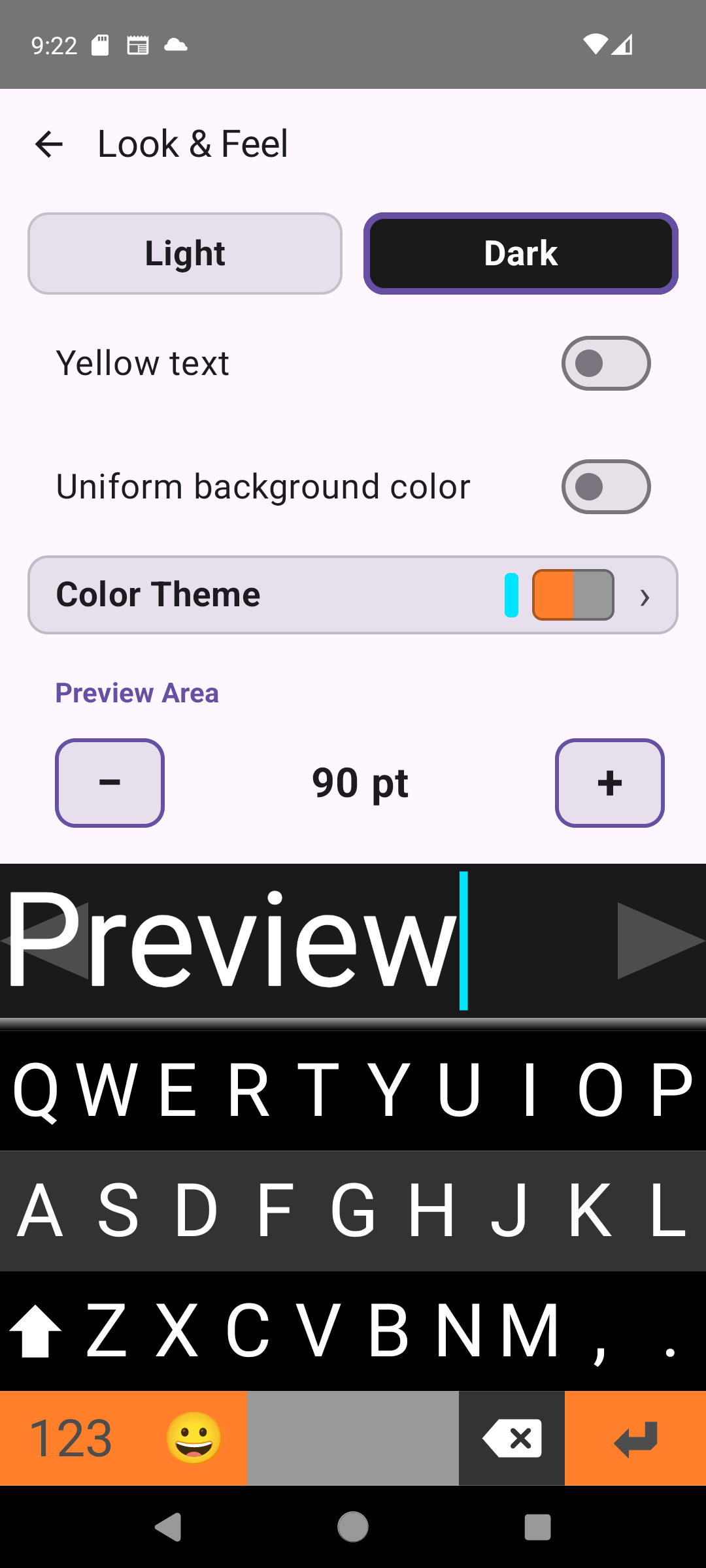
Look & Feel Customization
Quickly switch between Light and Dark modes, toggle high-visibility yellow text, pick color themes, and scale the preview text size to your comfort level.
- Instant Light / Dark mode switching
- High-contrast Yellow Text mode for maximum legibility
- Scalable preview text size stepper (shown at 90 pt)
Thoughtfully Designed Features
Natural Swipes
Fast gestures keep you moving without searching for small buttons. Swipe left to delete a character, right for a space, down for a newline, or up to browse spelling suggestions. Two-finger swipes dismiss the keyboard, jump between keyboards, delete whole words, or switch languages.
Private On-Device Dictation
Dictate quickly and privately with on-device speech-to-text. Your voice is transcribed locally on your device—audio never leaves your phone or tablet.
Speech & Auditory Feedback
Built-in self-voicing can announce characters or words as you type, using pitch cues to confirm actions: higher pitch for typed characters and lower pitch for deletions. Fully compatible with VoiceOver.
Spelling Alerts & Custom Dictionary
Visual red error highlights and optional audio alerts signal misspellings instantly. Double-tap any word in the preview bar to add it directly to your custom user dictionary.
12 Supported Languages
Includes dedicated layouts for Danish, Dutch, English, Finnish, French, German, Italian, Norwegian, Portuguese, Spanish, Swedish, and Turkish. Switch languages on the fly with a quick two-finger swipe.
Privacy by Design
Viskey does not require network access for typing. Keystrokes, personal dictionaries, and dictation audio stay on your device where they belong.
Documentation & Information
Comprehensive User Guide
Learn how to use one-finger and two-finger gestures, configure cursor navigation, set up dictation, and adjust accessibility settings.
Read User Guide →Privacy Policy
Read our straightforward privacy policy detailing our on-device processing and strict privacy practices.
View Privacy Policy →Viskey programming and design © 2015–2026 Harri Pasanen, MPaja Ltd, Finland.